·
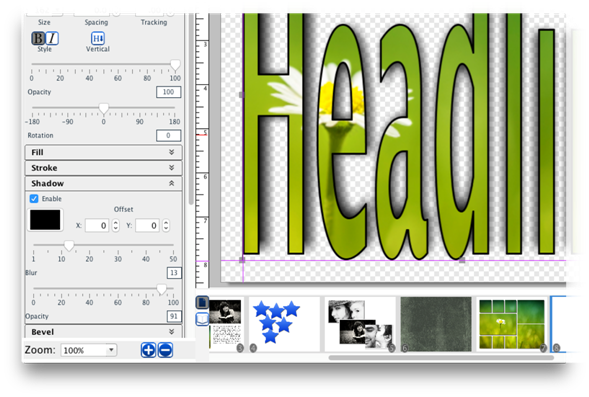
Toggle the Enable check box to apply or clear the shadow.
·
Click on the Shadow Color button to choose the shadow’s
color.
·
The pixel offset values (X and Y) values determine how far
the shadow stretches from the headline, and to which direction. Enter a value
or use the arrows to adjust the offset.
·
Use the Shadow Blur slider to increase or decrease the sharpness
of the shadow’s edge.
·
Drag the Shadow Opacity slider to increase or decrease the
shadow transparency.
Related Topics