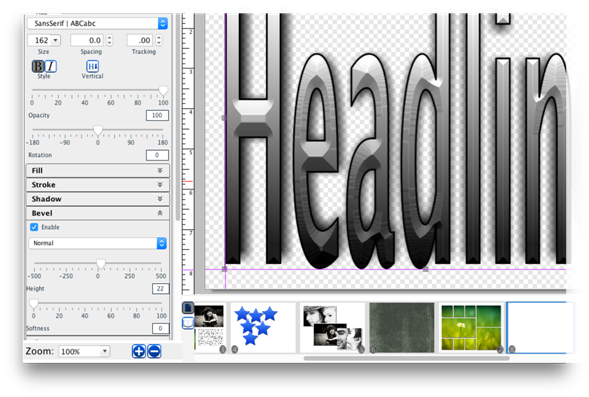
A bevel is a slanting edge effect (it makes the headline
look a bit like carved stone).
·
Toggle the Enable check box to apply or clear the bevel.
·
Select drop down to set the type of bevel used.
·
Drag the Bevel Height slider to increase or decrease the 3-dimensional
effect.
·
Drag the Bevel Softness slider to smooth out the edges or
increase their sharpness.
Related Topics